The appointments you keep shape the life you build. OlaTime helps individuals, families, and organizations honor every commitment — through thoughtful reminders, meaningful insights, and privacy-first productivity.
In Yoruba, ọlá means honor. Time is the one form of wealth you can't earn back — OlaTime exists to help you honor it, one commitment at a time.
Time is our most valuable resource.
Every meeting attended.
Every promise kept.
Every habit maintained.
Every milestone reached. They all begin by honoring time.
That is why OlaTime exists.
Why you can trust it
No ads. No tracking. No subscription.
Your schedule is personal. OlaTime is built so that stays true — everything runs on your device by default, and nothing about that changes if you never sign in to anything.
Offline-first
Full functionality with no signal. Your data lives in this device's storage, not a server you have to reach first.
Privacy-first
No account required to use it. Cloud sync is opt-in, off by default, and never a condition of using the app.
No ads, ever
Nothing is sold, nothing is shown to you for money. What you see is what the app needs you to see.
No tracking
No analytics SDK watching what you do. The behavioral insights you see are computed from your own data, for you.
No subscription
Free to install and use. There's no premium tier gating basic scheduling — it's a static app, not a rented service.
Installable PWA
Add it to your home screen on phone or desktop. No app store, no separate download, no gatekeeper.
Works across devices
Same experience on phone, tablet, or desktop. Turn on Cloud sync when you want your data to follow you.
Reliable reminders
Browser notifications, in-app alerts, vibration, and calendar/email fallbacks — degrades gracefully instead of failing silently.
Real analytics
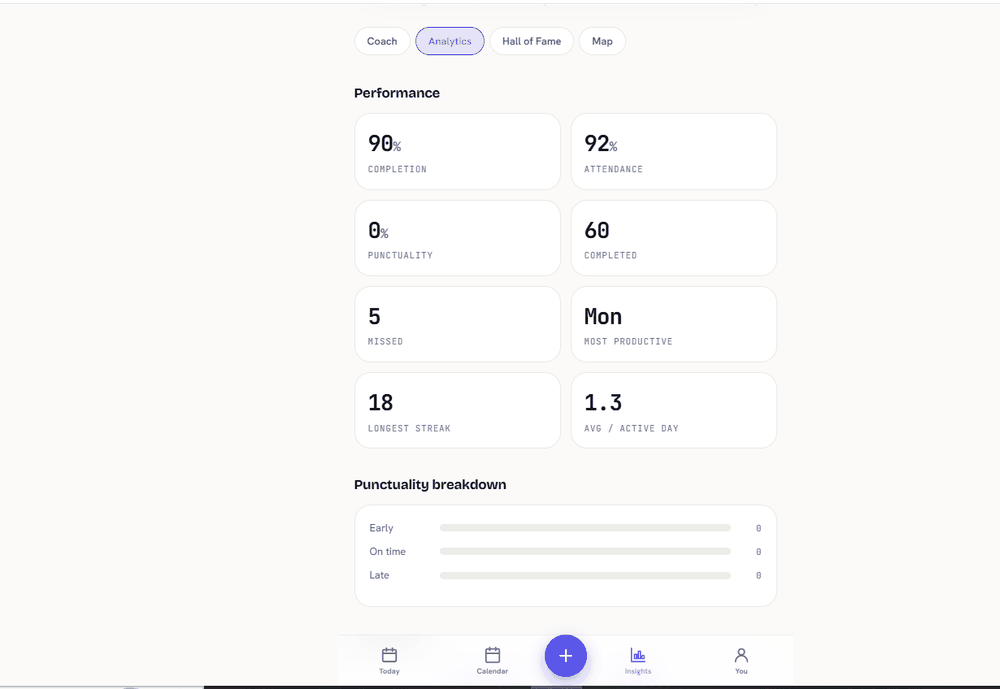
Attendance trends, priority mix, and time-of-day patterns — computed locally from your own history, not a black box.
Behavior insights
Honor Score and streaks turn "did I show up" into a trend you can actually see and improve on.
Your data, on your terms
Your Time. Your Data. Your Control.
OlaTime is designed with privacy at its core. Your personal information stays under your control. The app works offline-first, does not require unnecessary data collection, and gives you control over how your information is stored and managed. Your schedule belongs to you.
Two products, one ecosystem
Built for people — and the organizations they show up for.
The same reliability data serves two audiences: the individual trying to keep their commitments, and the clinic, campus, or company that depends on them keeping them.
📱 Mobile app
OlaTime
For individuals
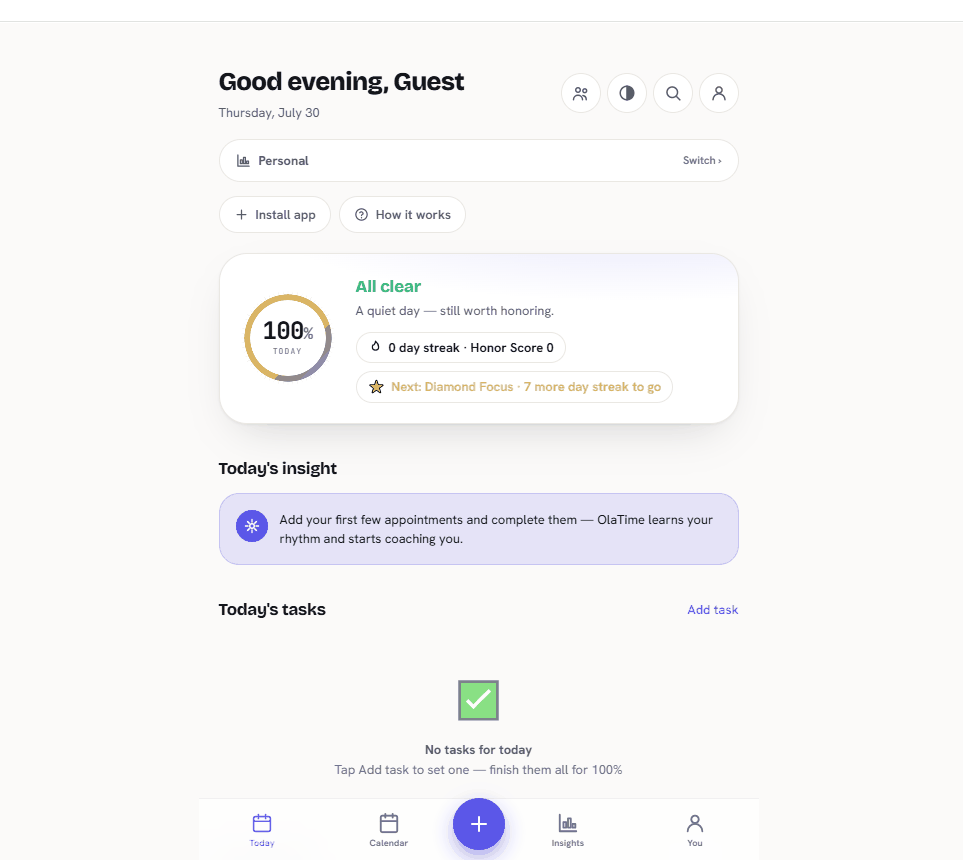
Appointments, habits, reminders, and a live Honor Score™
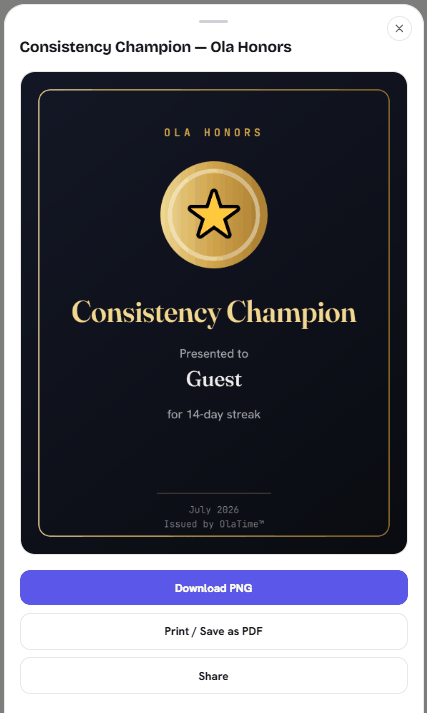
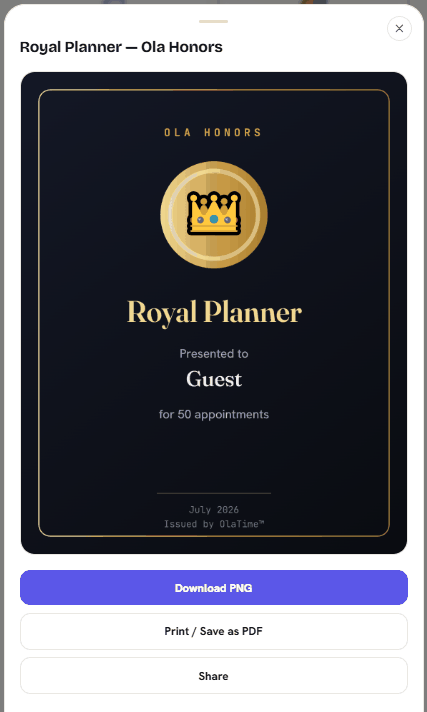
Behavioral insights, levels, honors, and shareable certificates
Offline-first — installs to your home screen, works with no signal
Private by default; sign in for optional cloud sync across devices
Ọlá means honor in Yorùbá — not the ceremonial kind, but the everyday kind: the honor of following through, of respecting a person's money, time, work, and trust. That idea runs through everything we build, which is why every product carries the Ola name.
💳
OlaPurse honors your money
Helping people understand, manage, and respect their finances.
⏱️
OlaTime honors your time
Helping people organize commitments, build consistency, and follow through on what matters.
🧾
OlaOrder honors your transactions
Helping businesses receive and manage customer requests simply.
📦
OlaInventory honors your resources
Helping organizations understand and control what they own.
Before any product carries the AFOLAOLA name, it must satisfy seven principles:
01
Solves a real problem
02
Simple for ordinary people
03
Privacy built in, not added later
04
Reliable by design
05
Avoids unnecessary complexity
06
People own what belongs to them
07
Built to last
That philosophy also shapes how we think about software. Respecting what a product touches means respecting the people who use it — their language, their culture, their currencies, their dates, their time, their way of working.
We're not trying to build the biggest software company. We're trying to build software that people can trust for a very long time.
OlaTime exists because time is one of the most valuable things people have, yet one of the easiest things to lose. Your time deserves more than scattered notes, forgotten reminders, and endless "I'll do it later." It deserves a tool that helps you stay intentional — with OlaTime, you can schedule appointments, manage personal and family commitments, collaborate through workspaces, receive reminders, track consistency, and understand how you actually spend your time.
Honor What Matters.
The company behind OlaTime
Visit AFOLAOLA
Learn more about AFOLAOLA, our products, and the philosophy behind everything we build.
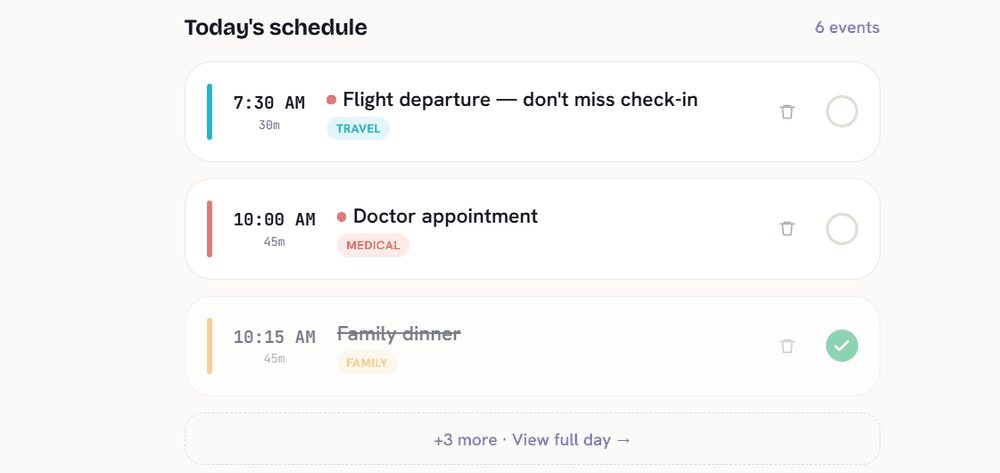
Four priority tiers, recurring schedules, locations, and meeting links — with a status that actually reflects reality: Upcoming, Due Now, Overdue, Completed, or Missed.
Low / Normal / High / Critical priority
Daily, weekly, monthly, or yearly recurrence
Real-time Due Now / Overdue detection, not just a static list
Honor your habits
Habits that build on each other
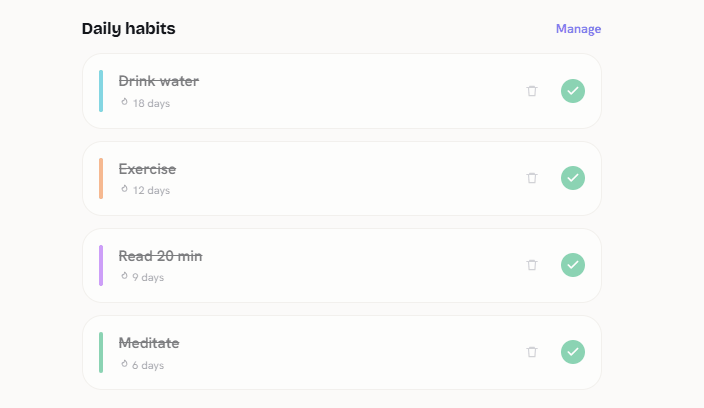
Streaks, custom colors, and a daily check-in that feeds the same reliability score as your appointments — because consistency is one thing, not two separate features.
Unlimited habits with custom colors
Streak tracking that resets honestly, not generously
Feeds directly into Honor Score
Honor your family & workspace
Built for more than just you
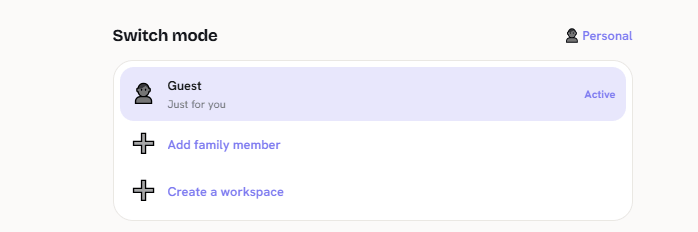
Switch between Personal, Family, and Workspace modes from one place — created locally with zero backend, or synced to the cloud if you want real collaboration.
Personal — for your own schedule, habits, reminders, and goals.
Family — coordinate important moments, responsibilities, and shared commitments with the people who matter.
Workspace — organize team schedules, assigned tasks, and shared commitments while keeping everyone aligned.
Honor your progress
A single number for "am I keeping my word"
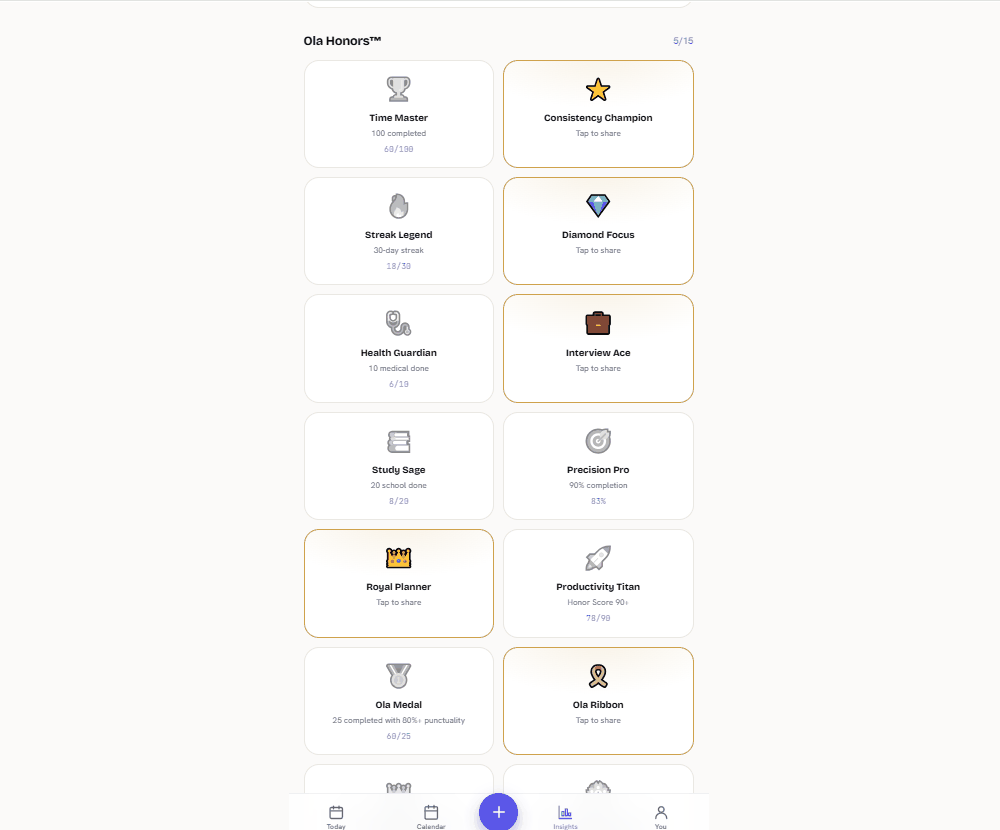
Honor Score blends attendance, punctuality, and streaks into one live figure. Level up through Achievements as consistency compounds — no busywork, just an honest reflection of follow-through.
Live Honor Score updates as you complete appointments
Tiered achievements from Starter to Titan
Shareable milestone certificates
Honor your consistency
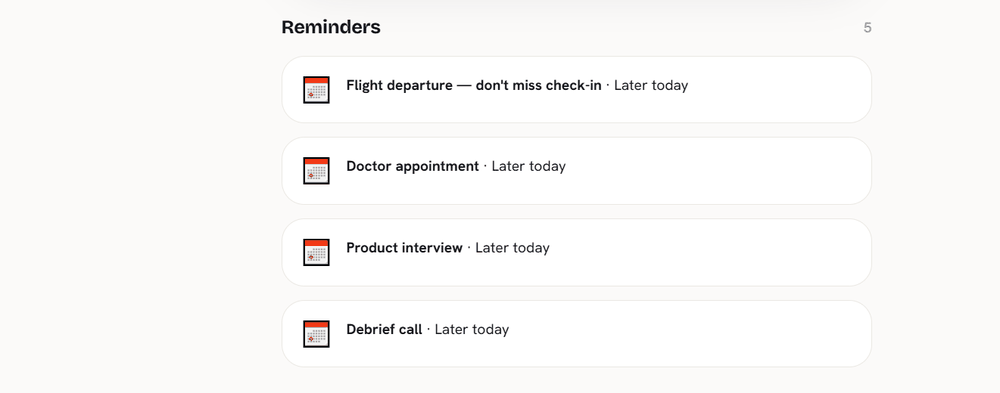
Reminders that actually try
Browser notifications with real permission handling, in-app banners that need no permission at all, vibration, sound, and honest fallbacks — a downloadable .ics calendar file and a real mailto: email, not a promise of a message that was never sent.
Per-appointment reminder channels you control
Graceful degradation — tells you when something isn't supported, never fails silently
A reminder history you can actually review
Honor your own record
Your own analytics, and your own data
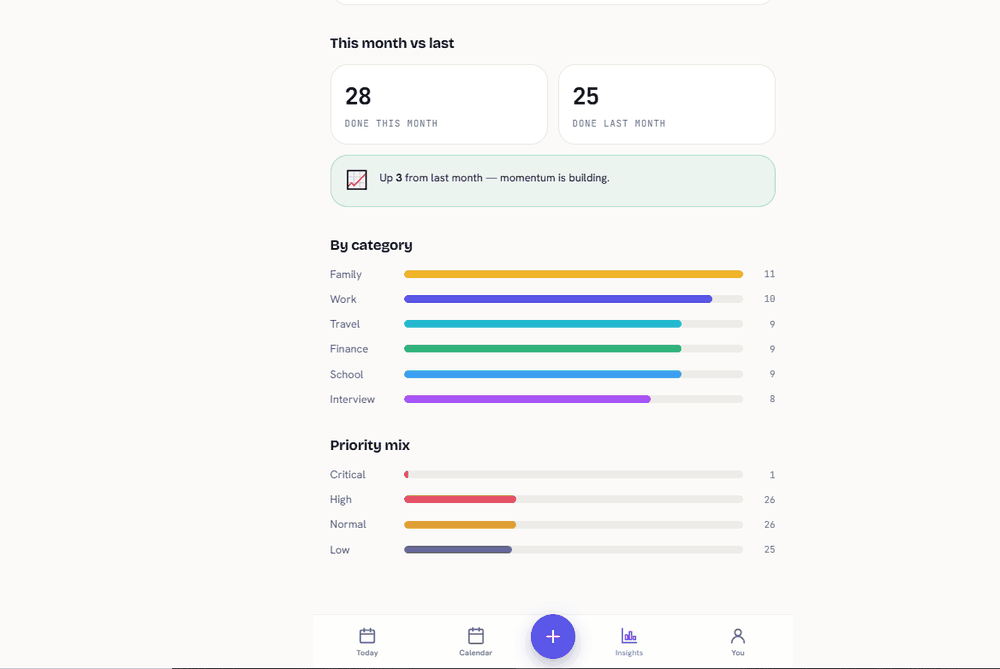
See attendance trends, priority mix, and time-of-day patterns computed from your real history. Export to CSV, Word, PDF, or a full JSON backup any time — your data was never locked in to begin with.
Real behavioral analytics, not vanity metrics
CSV / Word / PDF / JSON export on demand
Full backup and restore, no account needed
Recognition, made real
Not just a badge. An actual certificate.
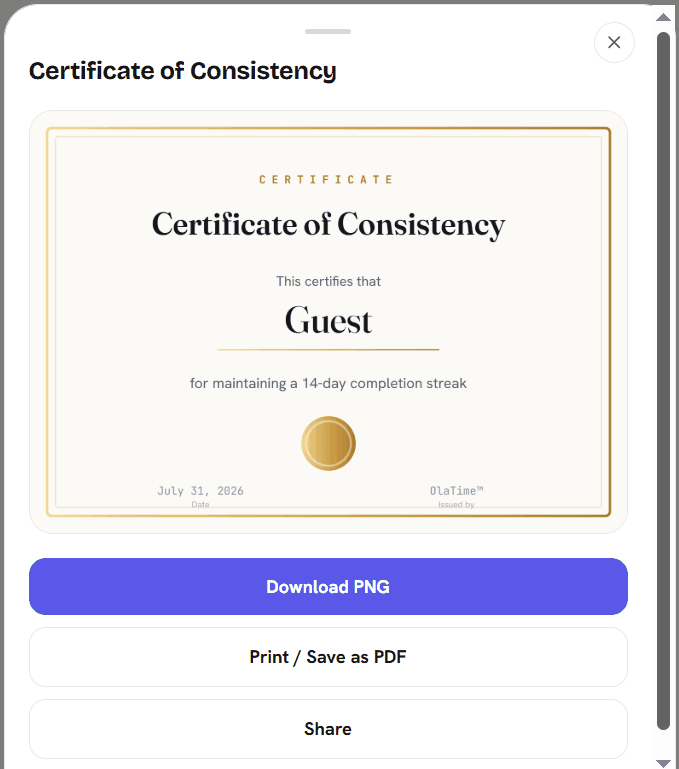
Every milestone in OlaTime can be downloaded, printed, or shared — a real, dated certificate with your name on it, not a sticker that disappears when you close the app.
Certificate of Consistency — for a completion streak
Most scheduling tools remind you, then forget you. They never tell you whether you're actually becoming more reliable — and organizations that depend on you showing up have no clear picture of attendance, no-shows, or what would fix them.
02 — The approach
Treat scheduling as a data problem. Every appointment becomes a measurable event, and that single stream powers two experiences: a personal app that coaches an individual toward reliability, and an analytics dashboard that shows an organization where its reliability breaks down.
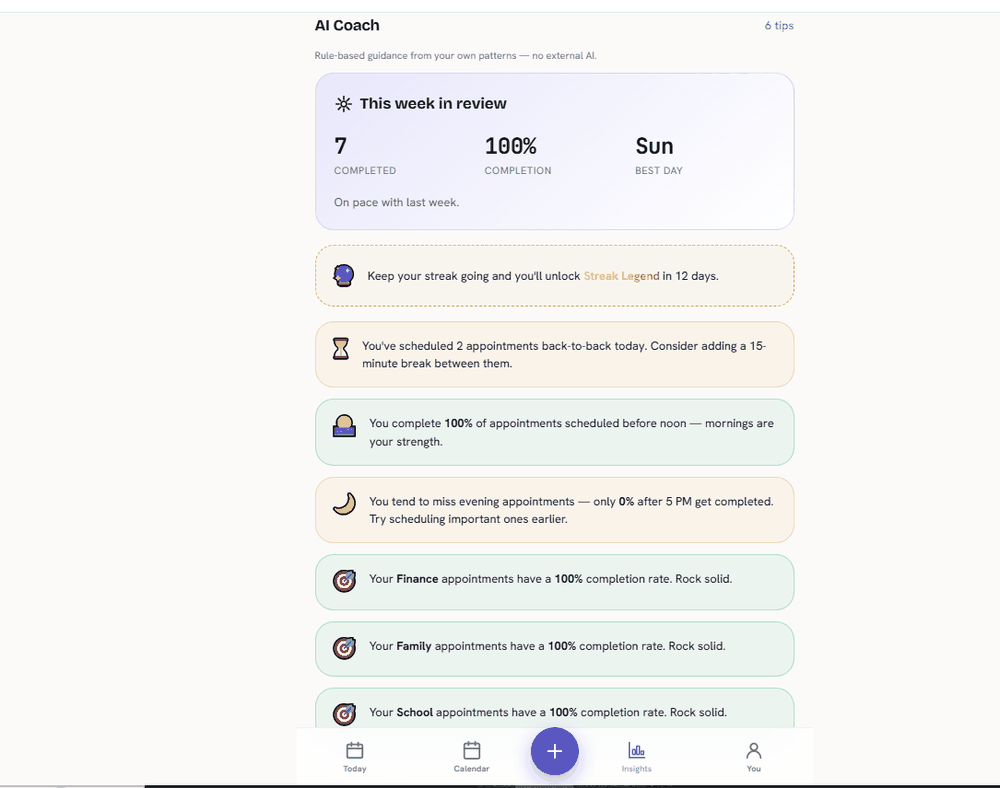
The insights are rule-based, not generative — patterns computed from real behavior, the kind of data-driven reasoning the product is meant to demonstrate.
03 — Architecture
A deliberately no-build progressive web app: plain HTML, CSS, and JavaScript, with a local-first data model in IndexedDB, a service worker for offline use, and optional Firebase sync. The dashboard renders bespoke SVG charts over a synthetic, anonymized dataset — no framework, no bundler, deployable as static files.
Progressive Web AppIndexedDB / local-firstService worker / offlineFirebase (optional sync)Bespoke SVG data-vizBehavioral analyticsSynthetic data generationProduct & brand design
04 — What the data reveals
On the demo dataset — 4,000 anonymized appointments across three organizations over twelve months — Insights surfaces exactly the decisions an operator would act on:
+12 pts
Attendance lift from sending reminders
~12%
Overall no-show rate, varying sharply by category
Tue–Wed
Peak demand, concentrated mid-morning
Why OlaTime, honestly
Not about filling calendars.
OlaTime isn't trying to help you schedule more. It's built to help you become more dependable, intentional, and consistent — the calendar is just where that shows up first.
01
Ownership
Your data is a file on your device, not a row in someone else's database you have to ask permission to export.
02
Privacy
Nothing is collected to sell or analyze. There's no analytics SDK phoning home in the background.
03
Reliability
Works with no signal, because a scheduling app that needs the internet to tell you what's next has already failed once.
04
Simplicity
Plain HTML, CSS, and JavaScript. No framework churn, no breaking changes from a dependency you didn't choose.
05
Offline capability
Not a "works offline sometimes" — an offline-first architecture where the network is the optional part.
06
No vendor lock-in
Export to CSV, Word, PDF, or a full JSON backup any time. Leave whenever you want, with everything you put in.
07
Lightweight
No build step, no bundler, deployable as static files. Fast because there's less of it, not because it was optimized after the fact.
Getting started
Five steps. That's the whole onboarding.
1
Install
Add it to your home screen in one tap — no app store, no account.
2
Create appointments
Add what's actually on your schedule, with the priority it deserves.
3
Receive reminders
Notifications, in-app alerts, or a calendar file — your choice, degrading gracefully.
4
Track consistency
Honor Score and streaks show you the pattern, not just the day.
5
Improve
See where reliability breaks down, and fix the actual pattern — not just today's list.
See it in action
Real screens, not mockups.
Exactly what the app looks like today — no staged photography, no invented features.
Your day, at a glance
Coaching, from your own patterns
Real analytics, computed locally
Built in public
No fabricated reviews. Just where this actually stands.
OlaTime doesn't have customer testimonials yet, because it doesn't have customers yet claiming to. Here's what's true right now instead.
🌱
Early Access
Actively used and refined — feedback shapes what ships next.
🛠️
Built in Public
Developed openly, one real fix at a time, not a polished façade first.
💬
Open to Feedback
If something's wrong or missing, that's useful to know — tap here to say so.
Questions
Frequently asked
Yes — fully. OlaTime is offline-first: appointments, habits, reminders, and analytics all work with no signal, because your data lives in this device's storage. An internet connection is only needed for the optional Cloud Sync feature.
No. OlaTime works fully without signing in to anything. Creating an account is only relevant if you want Cloud Sync — backing up your data and keeping it in sync across multiple devices.
Yes. Family Mode lets you add family members with their own separate calendars, all switchable from one place, without needing separate accounts or devices.
Yes, through Workspace Mode. A workspace can be created and used entirely locally on one device with no backend at all, or connected to Cloud Sync if a team genuinely needs to share appointments across their own devices and accounts.
Yes, through several real channels: browser notifications (with proper permission handling), in-app banners that need no permission at all, vibration and sound where supported, plus a downloadable calendar file (.ics) and a real mailto: email link. Nothing here fakes sending a message that wasn't actually sent.
Yes. By default, everything stays on your device in local browser storage (IndexedDB) — nothing is transmitted anywhere. If you turn on Cloud Sync, your data goes only to your own Firebase-backed sync, never to advertisers, analytics platforms, or anyone else.
Yes. There's no subscription and no paid tier gating basic functionality — it's a static, installable app, not a rented service.
Get in touch
Contact
Have a question, need help, or want to learn more about OlaTime? We'd love to hear from you.